
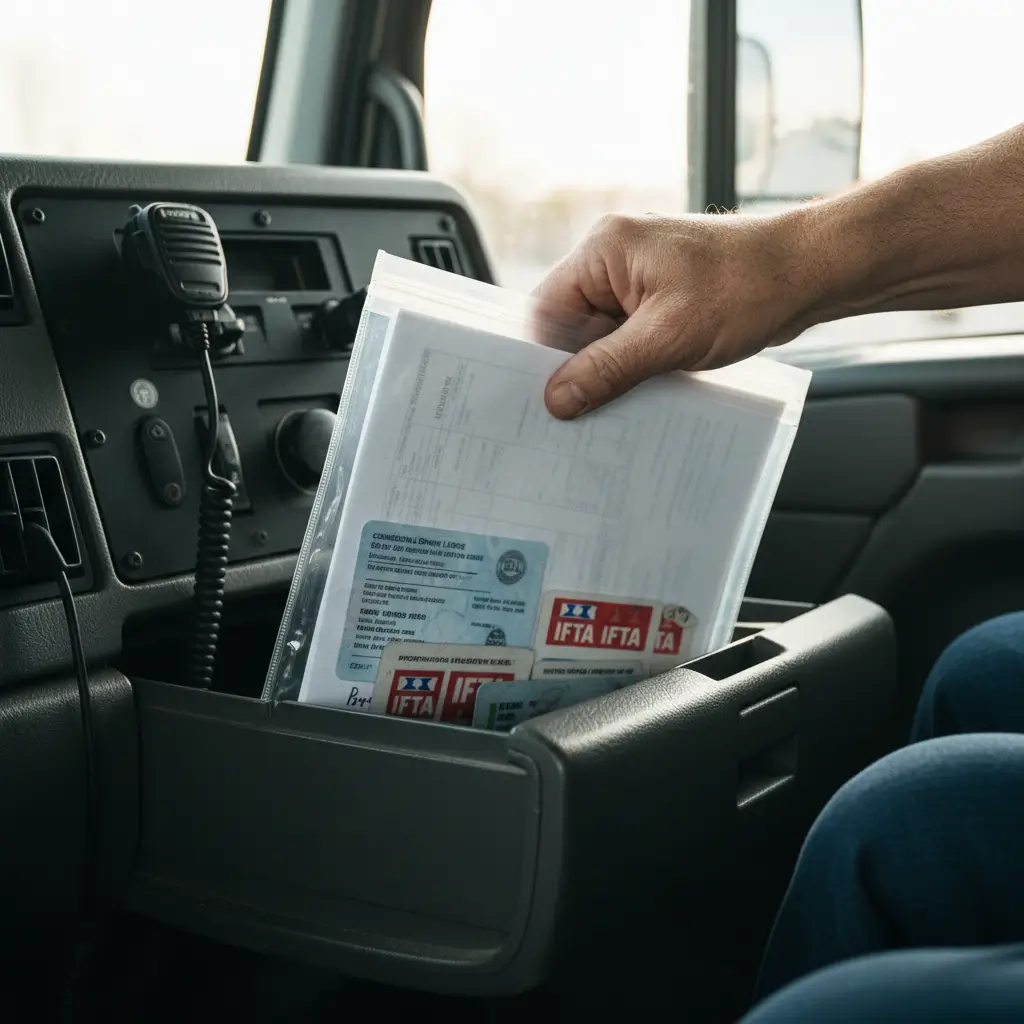
Learn how to get DOT and MC numbers: FMCSA registration steps, fees, timelines, insurance filings, BOC-3, UCR, and quotes.
If you’re searching how to get DOT number and MC number, here’s the straight answer: you register in FMCSA’s online system to get a USDOT number (your federal safety identifier), and—if you’re a for-hire interstate carrier—you also apply for operating authority (MC number) and pay the fee. Your authority won’t go “Active” until FMCSA receives and accepts your BOC-3 and insurance filings (and UCR when required), so “Pending” usually means a filing is missing or mismatched.
This guide is built for owner-operators and small fleets who can’t afford delays. It covers the steps to apply and the steps that actually get you rolling—especially the filings that block activation. For deeper prep before you touch the FMCSA site, use this FMCSA authority application checklist.
Key Takeaways: Essential DOT + MC Number Setup
- DOT and MC aren’t the same: USDOT tracks safety/compliance; MC (operating authority) is the legal permission for many for-hire interstate operations.
- Applying is only Part 1: Your MC can’t go “Active” until BOC-3 + insurance filings are submitted and accepted.
- Most delays are preventable: Name/address mismatches, wrong operation/cargo selections, and missing insurance filings are the big three.
- Plan for ongoing compliance: MCS-150 updates, UCR (when applicable), and clean inspections protect your authority and your insurance pricing.
Table of Contents
Reading time: 9 minutes
- DOT vs. MC Number: What’s the Difference?
- Do You Need a DOT Number, an MC Number, or Both?
- Before You Apply: What You Need Ready (10-Minute Checklist)
- How to Get a DOT Number and MC Number: Step-by-Step in FMCSA’s System
- Fees, Timelines, and How to Check Status
- How to Get a DOT Number and MC Number Active: Filings That Activate Authority
- Common Mistakes That Delay DOT/MC Approval
- Printable Checklist: Start-to-Active Timeline
- Frequently Asked Questions
- The Logrock Difference: Insurance + Filings Built for Owner-Operators
- Conclusion: Next Steps to Get Active and Stay Active
DOT vs. MC Number: What’s the Difference?
FMCSA assigns a USDOT number under 49 CFR 390.19 to identify a motor carrier for safety monitoring, while “MC number” commonly refers to federal operating authority required for many for-hire interstate carriers.
If you mix these up, you’ll waste time, money, and possibly book loads you can’t legally haul.
What a USDOT Number Is
A USDOT number is FMCSA’s way of tracking your safety record and compliance—inspections, audits, crash reporting, and CSA-related data. You’ll see it on your door, in roadside inspections, and on your carrier snapshot.
- What it is (plain English): Your company’s federal safety ID.
- Why it matters (business risk): Poor compliance and inspections can raise your trucking insurance costs and create enforcement headaches.
- Who needs it: Many interstate CMV operations, and also intrastate operations in many states (rules vary by state and weight/class).
What an MC Number (Operating Authority) Is
An MC number is commonly used shorthand for operating authority (a docket-based authority setup). It’s what many for-hire interstate carriers need to legally haul regulated freight for others.
- What it is (plain English): Legal permission to operate as a for-hire interstate carrier (when applicable).
- Why it matters (business risk): Without authority (when required), you’re exposed to out-of-service risk and broker/contract issues.
- Big reality check: Getting an MC number isn’t the same as being allowed to haul—it must be activated (BOC-3 + insurance filings + other items).
DOT vs. MC (Quick Comparison)
| Item | USDOT Number | MC Number (Operating Authority) |
|---|---|---|
| Primary purpose | Safety/compliance identifier | Legal authority to operate (often for-hire interstate) |
| Who typically needs it | Many interstate carriers; some intrastate (state rules) | Many for-hire interstate carriers hauling for others |
| Cost | Typically no fee to obtain the number | $300 per authority type (per current FMCSA fee schedule) |
| Timing | Often issued after online submission if no issues | Can sit Pending until required filings are accepted |
Not sure which number you need? Here’s the quick version:
Do You Need a DOT Number, an MC Number, or Both?
For-hire interstate carriers typically need both a USDOT number and operating authority, while private carriers hauling their own freight may need a USDOT number without MC authority depending on the operation.
This is where most new authorities get sideways: you’re not “buying numbers,” you’re setting up the correct legal identity for how you operate and get paid.
Quick Scenarios (Most Common)
- Interstate private carrier (you haul your own stuff): Usually USDOT: Yes; Usually MC: No
- Interstate for-hire carrier (you haul for other people for money): Usually USDOT: Yes; Usually MC/authority: Yes
- Intrastate only (you stay in one state): USDOT: Maybe (many states require it depending on weight/class); MC: Typically no (unless you do interstate for-hire)
Key Terms That Confuse People (and cost time)
- Interstate vs. intrastate: Not just crossing a state line—some freight movements are considered interstate commerce even if you personally don’t cross a line.
- For-hire vs. private carrier: For-hire = you get paid to haul someone else’s freight.
- Broker vs. carrier: Brokers arrange transportation; carriers physically haul (different authority requirements).
Need help choosing DOT vs. MC? If you’re not sure which one you need (or what authority type fits your operation), get it right before you pay fees or trigger filings.
Before You Apply: What You Need Ready (10-Minute Checklist)
FMCSA registration works fastest when your legal name, address, operation type, cargo selection, and equipment counts match across your URS application, BOC-3, and insurance filings.
Before you click anything on FMCSA’s site, get your info straight—most “pending forever” stories start with sloppy details.
Have this ready
- Legal entity + naming: Legal name (exactly as registered) and any DBA; decide SSN vs EIN (EIN is common if you’re building a business).
- Contact info you won’t change: Business address you can keep long-term; email/phone you control (not a dispatcher’s temporary number).
- Operation details: States you’ll operate in; operation classification (private vs for-hire); cargo classifications you actually haul (don’t “check everything”).
- Equipment basics: Power unit count; vehicle type and weight class/GVWR as applicable.
- Compliance items you’ll need immediately after: Drug & alcohol program/consortium (as applicable); driver qualification files; maintenance files; ELD/HOS plan (even if exempt now—know your triggers).
For a deeper readiness breakdown, use this FMCSA authority application prep guide.
Scam reality check: FMCSA registration is DIY through official channels. Paying for help is optional; paying for confusion is expensive—especially when a non-.gov site looks “official” and pushes urgency.
How to Get a DOT Number and MC Number: Step-by-Step in FMCSA’s System
To get a USDOT number and (when required) operating authority, you complete FMCSA’s online registration, select the correct operation and authority type, and then complete post-application filings to move from Pending to Active.
Step 1: Create/Login to Your FMCSA Account
Start from the official FMCSA Portal or FMCSA registration pages so you avoid lookalike registration sites.
- Use a dedicated business email you’ll still have in 3 years.
- Store credentials in a password manager—you’ll need to log back in for updates and corrections.
Step 2: Complete the DOT Registration Portion
This is where you define who you are and how you operate.
- What you’ll enter: legal name/DBA, address, contact; operation type (interstate/intrastate, for-hire/private); cargo categories.
- Pro tip: Don’t guess your operation classification. A wrong selection can create conflicts with insurance filings and broker onboarding.
Want to see the FMCSA application process step by step? Watch this walkthrough:
Step 3: Add Operating Authority (MC) if Needed
If you need operating authority, this is where you select authority types and pay the fee.
- DOT number vs authority cost: USDOT is typically issued without a fee; MC/authority has a $300 fee per authority type (per current FMCSA fee schedule).
- Pro tip: Only apply for the authority you actually need—over-applying can mean extra fees and extra compliance complexity.
Step 4: Submit + Record Your Numbers
- Save confirmation pages and reference numbers.
- Save your login info.
- Put reminders on your calendar now (updates, UCR, renewals).
Want a second set of eyes before you submit? A 10-minute review can prevent weeks of “pending” status caused by mismatched names, the wrong operation type, or filings that don’t line up.
Fees, Timelines, and How to Check Status
FMCSA typically issues a USDOT number at no charge after a complete online submission, while operating authority commonly requires a paid filing (often cited as $300 per authority type) plus a waiting/notice period and accepted filings before activation.
How Much Does It Cost?
For a full breakdown of what you’ll pay, see our guide on DOT and MC number costs.
- USDOT number: typically no fee to obtain the number itself.
- MC/operating authority: $300 per authority type (per current FMCSA fee schedule).
- Third-party filing services: optional—some are helpful, some are pure upsell.
Rule of thumb: If a website is pushing urgency, “limited-time,” or looks like a government site but isn’t .gov, slow down.
How Long Does It Take?
- USDOT number: often issued shortly after online submission if there are no errors.
- MC authority: usually takes longer because there’s processing/notice time and you must complete post-application filings (BOC-3 + insurance).
How to Check Status (What the Status Actually Means)
When you check FMCSA tools, you’ll generally see statuses like:
- Pending: application submitted; waiting on process/notice period and/or filings.
- Inactive: something required is missing or lapsed.
- Active: authority is granted and required filings are on record.
If you’re blocked, the most common causes are missing insurance filings or missing BOC-3.
How to Get a DOT Number and MC Number Active: Filings That Activate Authority
FMCSA generally will not activate interstate for-hire operating authority until a process agent designation (BOC-3, 49 CFR 366.4) and required insurance filings (e.g., BMC-91/BMC-91X) are received and accepted.
This is the part most “how to get an MC number” articles skip—and it’s why people sit parked, burning money, while loads pass them by.
BOC-3 (Process Agent) Filing
- What it is (plain English): A process agent designation so legal papers can be served properly.
- Video walkthrough: Here’s a step-by-step video on filing your BOC-3 correctly:
- Why it matters: FMCSA generally won’t activate authority without it.
- Common mistake: Filing it under a DBA when your authority is under the legal entity (or vice versa). Names must match.
Insurance Filings (This Is the #1 Activation Bottleneck)
Buying a policy is not the same as getting activated—your insurer must file proof of coverage electronically with FMCSA and it has to post under the correct legal name and address.
- What it is (plain English): Your insurance company files proof of coverage (often referenced as BMC-91/BMC-91X) electronically with FMCSA.
- Why it’s essential (business risk): If the filing isn’t accepted, your MC stays stuck; if it later lapses, your authority can be suspended quickly.
- Compliance note: FMCSA insurance requirements vary by operation; for many interstate carriers of non-hazardous freight, the commonly referenced public liability minimum is $750,000 under 49 CFR Part 387 (higher limits apply for certain hazmat and passenger operations).
This is where commercial truck insurance, semi truck insurance, and hotshot insurance need to be set up correctly for your exact operation. Wrong limits, wrong entity name, or the wrong filing type can stall you.
To understand how coverage choices affect activation and long-term costs, start here: commercial truck insurance for new authority.
UCR + Other Common Compliance Items (Depending on Your Operation)
- UCR: Often required for interstate operations; skipping it can create enforcement problems.
- Drug & alcohol program: If you’re subject to DOT testing rules, don’t “do it later”—that’s how new authorities get hurt in audits.
- State-level items (often required to actually run freight): IRP plates, IFTA setup and quarterly filings, and weight-mile tax systems (where applicable).
Set Yourself Up for Ongoing Compliance (So You Don’t Lose It)
Your authority is a business asset—treat it like one.
- Keep registration info current (address, power units, operations).
- Build habits now: maintenance files, clean inspections, and ELD/HOS compliance.
Ongoing requirements don’t stop after activation—plan for renewals and updates here: trucking renewals. And keep safety records organized with this driver safety program guide.
Activation Blockers to Verify Today
- [ ] BOC-3 filed under the correct legal name and address
- [ ] Insurance policy bound and FMCSA filing submitted/accepted
- [ ] UCR completed (if required for your operation)
- [ ] No lapses or mismatches across documents
Need your authority activated faster? The fastest path to “Active” is getting the right trucking insurance and making sure FMCSA filings are submitted correctly the first time.
Common Mistakes That Delay DOT/MC Approval
The most common causes of delayed activation are (1) name/address mismatches across FMCSA, BOC-3, and insurance filings, (2) wrong operation/cargo selections, and (3) insurance filings that were never posted or were rejected.
This is the “death by paperwork” list—the stuff that quietly kills timelines and cash flow.
- Mismatch between legal name/DBA across FMCSA, BOC-3, and insurance
Fix fast: Pick one “source of truth” (your legal entity docs) and align everything to that. - Wrong operation/cargo categories
Fix fast: Only select what you truly do. If you’re a dry van carrier, don’t check hazmat “just in case.” - Using unstable contact info
Fix fast: Use a long-term business email and a phone number you control. - Buying insurance but not confirming the filing was accepted
Fix fast: Ask for confirmation that the FMCSA filing was submitted and posted under the correct entity. - Letting registrations lapse after activation
Fix fast: Put UCR, renewals, and updates on a calendar with reminders. - Falling for scam sites
Fix fast: Stick with official resources and trusted partners; if it feels like a pop-up DMV, it probably is. Review this DOT number application guide before paying a third-party site.
Clean compliance data matters early—inspections and violations can follow you into pricing. See how your record connects to premiums here: DOT record trucking insurance.
Printable Checklist: DOT + MC Number Start-to-Active Timeline
A start-to-active timeline typically includes four phases—pre-apply, apply, activate, and maintain—and missing any activation filing (BOC-3, insurance, or UCR when required) can keep authority in Pending or push it back to Inactive.
Use this like a pre-trip: quick, repeatable, no guessing.
- Phase 1 — Pre-Apply (Prep)
- [ ] Legal name/DBA locked in
- [ ] EIN/SSN decision made
- [ ] Stable email/phone/address set
- [ ] Operation + cargo selections decided
- Phase 2 — Apply (FMCSA)
- [ ] FMCSA account created
- [ ] USDOT registration submitted
- [ ] Operating authority (MC) added (if for-hire interstate)
- [ ] Fee paid (if required)
- Phase 3 — Activate (The Real Gate)
- [ ] BOC-3 filed
- [ ] Insurance bound
- [ ] Insurance filings posted/accepted by FMCSA
- [ ] UCR completed (if required)
- Phase 4 — Maintain (Stay in Business)
- [ ] MCS-150 updates handled when required
- [ ] Renewals tracked
- [ ] Driver/safety files and maintenance records maintained
Save this checklist and set reminders so nothing lapses. A lapse doesn’t just create paperwork—it can shut down revenue.
Frequently Asked Questions
You get a USDOT number by submitting a motor carrier registration through FMCSA’s online system and providing your legal name, address, operation type, cargo, and power-unit details as required under 49 CFR 390.19. In many cases, the USDOT number is issued shortly after a complete online submission with no errors. The fastest way to avoid corrections is to lock in your legal entity name (exact spelling), use a stable business address, and select only the cargo/operation classifications you truly run. For a clean prep list before you apply, use this FMCSA authority application guide.
Most interstate carriers operating a commercial motor vehicle need a USDOT number, and many states also require a USDOT number for certain intrastate operations depending on vehicle weight/class and use. A load can still be considered interstate commerce even if you personally don’t cross a state line, so “I stayed in-state” doesn’t always mean you’re exempt. Because intrastate thresholds vary by state, the safest approach is to verify your state’s DOT rules and confirm your operation type before you apply. If you choose the wrong operation classification, it can create conflicts with insurance filings and slow activation later.
You get operating authority by filing for the correct authority type with FMCSA ($300 per authority type (per current FMCSA fee schedule)) and then completing the activation filings FMCSA requires. Operating authority typically stays Pending until your process agent is on file (BOC-3, 49 CFR 366.4) and your insurance company posts the required proof of coverage electronically (often referenced as BMC-91/BMC-91X). If you want the insurance side to post cleanly, start by understanding how policies and filings work: commercial truck insurance.
A USDOT number is often issued shortly after a complete online submission, but MC operating authority usually takes longer because it requires a processing/notice period and will not activate until filings are accepted. In real-world timelines, most “it’s taking forever” cases come down to missing or rejected filings—especially insurance that was bound but never posted to FMCSA, or a BOC-3 filed under the wrong legal name. If you’re stuck in Pending, confirm what FMCSA shows as missing before you reapply; many times you only need a corrected filing, not a new application.
Many interstate carriers need a USDOT number, but you typically need MC operating authority only if you’re a for-hire carrier hauling regulated freight for others across state lines (when applicable). Private carriers hauling their own goods often do not need MC authority, but may still need a USDOT number for safety identification and compliance. The deciding factors are how you get paid (for-hire vs private), what you haul (some cargo types trigger additional requirements), and your vehicle class. When in doubt, confirm the authority type before paying fees or starting insurance filings.
Yes—FMCSA requires carriers to keep their registration information current, including updates for changes like address, phone, email, power units, or operation type, and many carriers must file a biennial update (commonly via the MCS-150 process). Missing updates can create compliance problems, trigger enforcement attention, and create headaches during insurance renewals or broker onboarding. The practical fix is simple: treat updates like a scheduled compliance task and set reminders for UCR, renewals, and any registration changes. A solid system helps prevent an “Inactive” surprise. Start here: trucking renewals.
A BOC-3 is a process agent designation — it tells FMCSA who can accept legal service of process on your behalf in each state. For most interstate for-hire carriers applying for operating authority, FMCSA requires a BOC-3 on file before your MC number can go Active. It is typically filed by a BOC-3 service provider, not directly by the carrier. The key mistake to avoid: make sure the name and address on your BOC-3 exactly match what is on your FMCSA registration — any mismatch can stall activation.
Yes — you can register for a USDOT number as a sole proprietor using your SSN, without forming an LLC. However, many carriers choose to form an LLC or other business entity before applying because it separates the business identity from the individual owner. If you apply as a sole proprietor, your legal name, not a business name, will appear on your FMCSA registration. Either way, your operation type and contact information must be accurate and consistent across all filings. For more detail, read this guide on whether you need an LLC to get a DOT number.
“Pending” means your operating authority application was received, but it either has not completed FMCSA’s processing/notice period yet, or one or more required filings are missing or have not been accepted. The two most common culprits are: your BOC-3 has not been filed or was filed under the wrong name, and your insurance company has not submitted the required proof-of-coverage filing to FMCSA, or it was rejected because of a name/address mismatch. Before reapplying, log into your FMCSA account and check what filings are shown as accepted versus missing — in most cases, you only need to correct a filing, not start over.
UCR stands for Unified Carrier Registration. It is an annual registration and fee program required for many interstate motor carriers, freight forwarders, brokers, and leasing companies operating in participating states. If you are an interstate for-hire carrier, you likely need to register for UCR each year before operating. UCR fees are tiered based on fleet size and are separate from your FMCSA authority application fee. Register through the official UCR portal during the annual registration window.
For most interstate for-hire motor carriers, FMCSA requires proof of public liability coverage, typically filed electronically by your insurance company using Form BMC-91 or BMC-91X. The filing must be submitted under your exact legal name and USDOT/MC number as they appear in FMCSA’s system. Buying a policy is not enough — if your insurer does not file, or if the filing is rejected due to a mismatch, your MC number stays Pending. Always confirm with your insurance agent that the FMCSA filing was accepted, not just submitted.
The Logrock Difference: Insurance + Filings Built for Owner-Operators
Most new-carrier delays happen during activation because FMCSA requires accepted BOC-3 and insurance filings, and even small name/address mismatches can keep authority in Pending.
Most new carriers don’t fail because they can’t drive—they get crushed by timing, paperwork, and cash flow gaps. The difference between “Pending” and “Active” often comes down to whether your trucking insurance is structured correctly and whether the FMCSA filings post cleanly the first time.
- Coverage that matches your operation (from semi truck insurance to hotshot insurance setups)
- Help preventing filing mismatches that delay activation
- Staying ahead of renewals and compliance changes so one missed date doesn’t shut down revenue
Conclusion: Next Steps to Get Active and Stay Active
The fastest way to get active is to treat registration like a launch sequence: USDOT identifies you, MC authority authorizes many for-hire interstate operations, and activation depends on accepted BOC-3 and insurance filings (plus UCR when required).
Don’t let a preventable paperwork mismatch keep you parked and unpaid.
Key Takeaways:
- DOT = safety ID; MC = operating authority (when required).
- Pending usually means filings are missing or mismatched (BOC-3/insurance/UCR).
- Staying active means staying compliant—updates and renewals matter.
If you’re trying to get your MC number active and don’t want to sit in “Pending” status waiting on a missing filing, LogRock can help. Our team works with new authorities every day — we can review your operation, confirm what insurance and filings you need, and make sure everything is submitted correctly the first time.
Talk to LogRock and get your trucking insurance quote.
Related reading: DOT and MC number costs, commercial truck insurance for new authority, and FMCSA authority application.